
Quick start
Section titled “Quick start”- Connect a physical device via USB or start an emulator.
- Click on the device in the sidebar list.
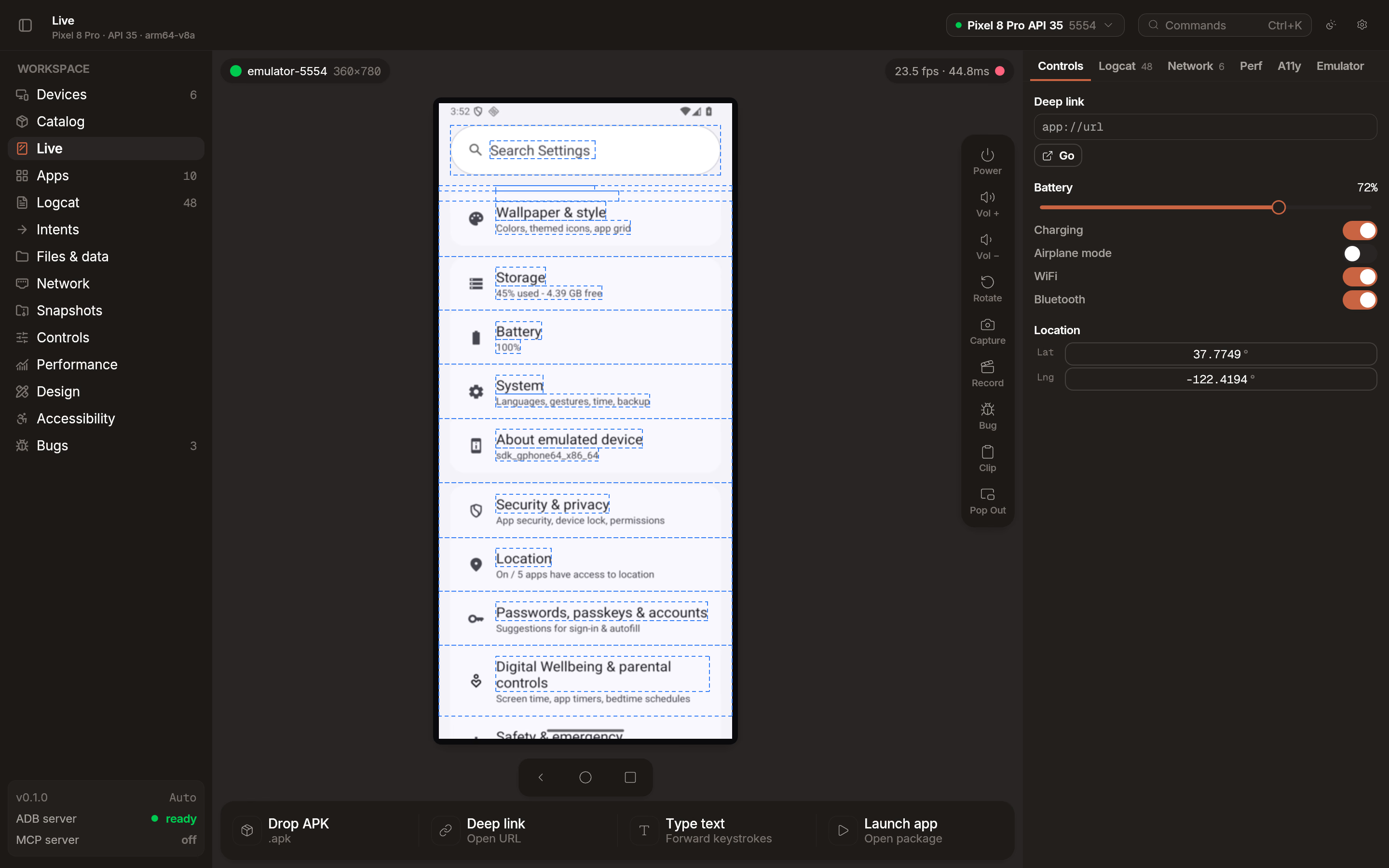
- The live mirror appears in the main workspace.
Capabilities
Section titled “Capabilities”Emu provides a high-performance mirroring engine designed for professional development.
- Native resolution: View your app exactly as it appears on the device hardware.
- Hardware decode: Uses Vulkan Video, VideoToolbox, or VA-API for low-latency H.264 and H.265 decoding.
- Multi-device support: Mirror and control multiple devices simultaneously.
Floating window
Section titled “Floating window”You can pop out the mirror into a dedicated floating window to keep it on top of your IDE or other tools. Click the Pop Out button in the mirror toolbar to detach the view.
Multi-touch
Section titled “Multi-touch”These gestures work out of the box with no configuration:
- Second finger: Hold
Ctrl(orCmd) and click to place a second touch point, mirrored around the screen center. - Pinch zoom: Hold
Ctrland scroll with your mouse wheel or trackpad. - Trackpad pinch: Native two-finger pinch on your trackpad maps to a pinch gesture on the device.
Multitouch passthrough
Section titled “Multitouch passthrough”For full multi-finger control (3-finger swipe, 4-finger tap, or any arbitrary Android gesture), enable Multitouch passthrough in Settings > Mirroring. This is off by default and available on macOS and Linux.
When enabled, each finger on your trackpad maps 1:1 to a touch point on the device — up to 10 simultaneous fingers. While your cursor is over the mirror panel, the trackpad is captured by Emu and system gestures (swipe between desktops, Mission Control, etc.) will not work until you move the cursor away.
Replay buffer
Section titled “Replay buffer”Emu supports two recording modes, selectable from the toolbar:
- Quality: Continuous screen recording for long-form capture. Uses hardware-accelerated encoding where available.
- Replay buffer: Keeps the last 30 seconds of activity in a rolling memory buffer. When you encounter a bug, click Capture to save what already happened — no need to have started recording beforehand. See Bug replay for details.
Mirror backends
Section titled “Mirror backends”Emu automatically selects the best mirroring backend for your device. Emulators use an optimized path with lower latency, while physical devices and generic connections use the scrcpy protocol.
You can manually override the backend in Settings > Mirroring if you encounter compatibility issues.